

diados
Extension of the Day

diados

5.0 FREE
  • Screenshot 1

Description

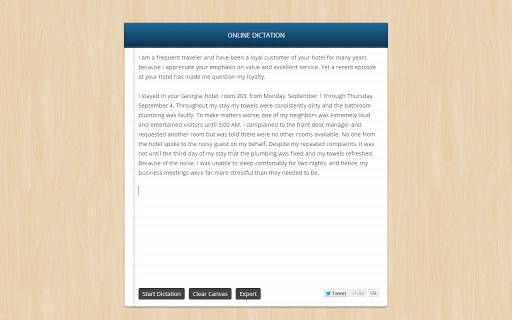
You can use your Google Chrome browser as a voice recognition app and type long documents, emails and essays without touching the keyboard. The app is integrated with Dropbox and Google Drive so you can easily export you transcribed text to your various online accounts. Or your can send the text to any email address. Dictation uses Chrome's Local Storage to save the transcriptions and thus you'll never lose your work. There's no need for the Save button. Internally, it uses the Web Speech API of Chrome that is supported in all the newer release of Chrome browser including Chrome on Android.

Guides & Tutorials for Voice Recognition App for Chrome

How to install Voice Recognition App for Chrome
  1. Click the Preview / Download button above.
  2. Once redirected, accept the terms and click Install.
  3. Wait for the Voice Recognition App for Chrome download to finish on your device.
How to use Voice Recognition App for Chrome

This software is primarily used for its core features described above. Open the app after installation to explore its capabilities.

User Reviews for Voice Recognition App for Chrome 0

    No reviews found

Similar Apps


